



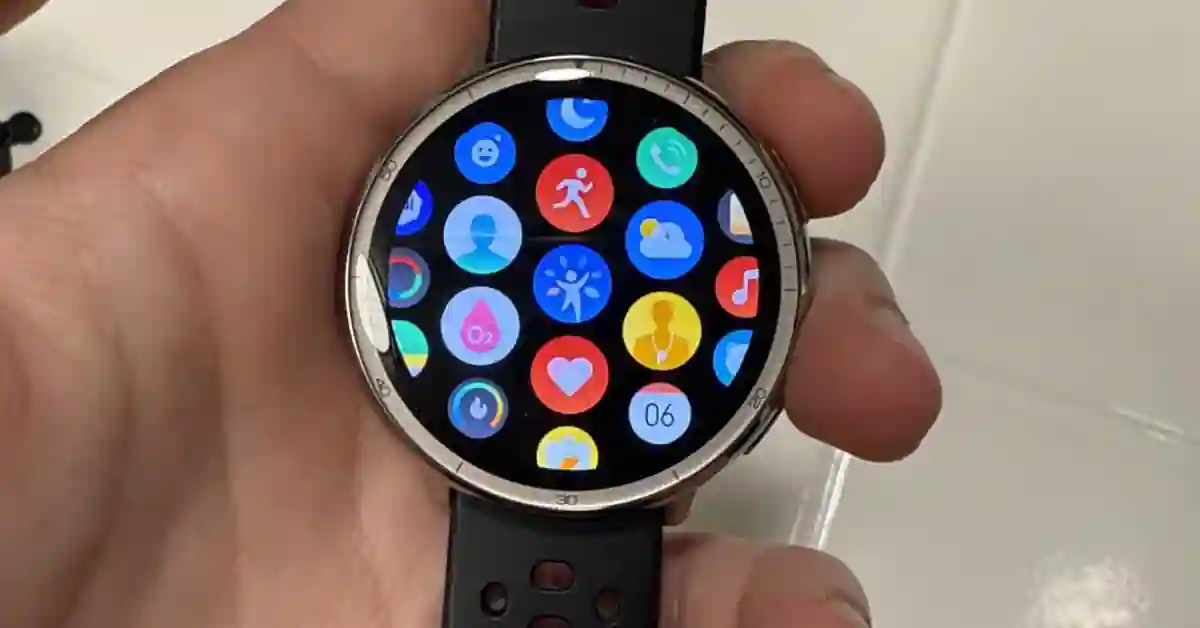
I bought the Amazfit Active 2 Premium the week it launched in February 2025. That was 16 months ago.
Most watch reviews are written after two weeks. Mine is written after 600 miles of running, two international trips, countless gym sessions, and a year and a half of sleeping with it on my wrist every single night.
A lot can change in 16 months. The watch has received dozens of software updates — including the major Zepp OS 5 overhaul and several significant firmware drops like v6.1.20.3 which finally fixed strength tracking and v6.3.10.4 which added pro running metrics.
I’ve gone through two replacement straps. I’ve recommended it to three friends, two of whom bought it.
Here’s what I actually think.
Quick Verdict — 16-Month Summary (4.4 / 5)
The Amazfit Active 2 is still the best smartwatch under $150 in mid-2026. The display is excellent, GPS is accurate enough for serious runners, offline maps at this price remains unmatched, and the battery lasts a full week with daily workouts.
After 16 months I have real complaints too — no music storage, no NFC, and a finicky charging puck. None of them have made me stop wearing it.
Buy it if: You want GPS, a bright AMOLED display, and real health tracking without spending $200+
Buy it if: Trail running or hiking and offline navigation matters — nothing else at $129 offers this
Skip it if: You need NFC payments, or deep in the Apple ecosystem
Skip it if: You are a serious athlete who needs VO2 Max tracking and training load analysis

Amazfit Active 2 Premium 10 Day Battery GPS Maps, Heart & Sleep Monitor, HYROX Mode, Sapphire Glass
Amazfit Active 2 Standard vs Premium — Settle This First
Two versions, same sensors and software, different build materials. This is the decision that trips most people up.
| Standard ($99) | Premium ($129) | |
|---|---|---|
| Glass | Tempered glass | Sapphire glass |
| Case | Stainless Steel | Stainless steel |
| Straps in box | 1 silicone | 1 leather + 1 silicone |
| All sensors | Identical | Identical |
| GPS, features | Identical | Identical |
| Water resistance | 5 ATM | 5 ATM |
I bought the Premium. After 16 months of daily wear my sapphire screen has zero visible scratches. A friend who bought the Standard around the same time has a couple of surface marks on his screen — not deep, but visible. Sapphire is genuinely more scratch resistant, not just a marketing claim.
If $30 is the difference between buying and not buying, go Standard. If the budget allows, Premium build quality is worth it for something you wear every day.
Design & Comfort: 16 Months Later
When the Active 2 launched it was a significant redesign — Amazfit moved from a rectangular Apple Watch-inspired shape to a round case with a stainless steel bezel. After a year and a half I still get compliments on it. People are surprised when I tell them it costs $129.
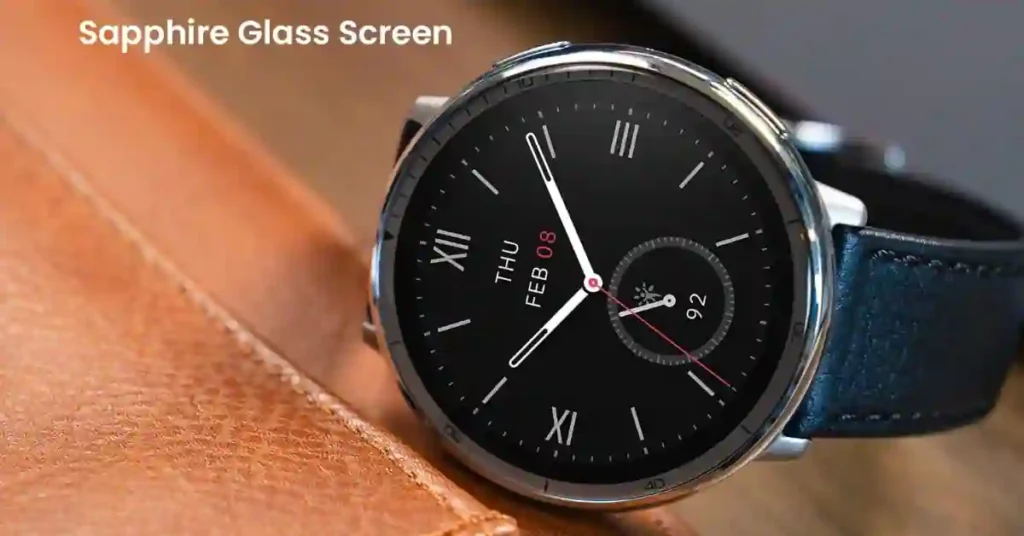
What holds up well: The round case looks good with both casual and business-casual outfits. At 33 grams it’s light enough that I genuinely forget to take it off — which matters for sleep tracking accuracy. Heavy watches shift on your wrist while you sleep and throw off sensor readings.
What I’d change: The magnetic charging puck. In 16 months I’ve woken up maybe 15 times to find it didn’t charge overnight because the puck shifted. Not a dealbreaker but still catches me off guard.
I’ve gone through two silicone straps. The leather one came with the watch and retired after about three months — leather doesn’t hold up on sweaty runs. The silicone picks up a slight odor after heavy use. A $12 replacement band every six months is my solution.
Amazfit Active 2 vs Original Active — What Actually Changed
Many people searching this review already own the original and are deciding whether to upgrade. Here’s what actually matters in real life — not the spec sheet version.
| Feature | Original Active | Active 2 |
|---|---|---|
| Design | Rectangular (Apple Watch-style) | Round, stainless bezel |
| GPS | Single-band, 1 satellite system | Dual-frequency, 5 satellite systems |
| Display | Smaller, dimmer | 1.32″, 2,000 nits AMOLED |
| Health sensor | BioTracker 5.0 | BioTracker 6.0 + skin temp |
| ECG | Basic | Improved |
Is the upgrade worth it if you own the original Active? Yes, mostly because of GPS and display. The dual-band GPS makes a real difference for anyone who runs in cities with signal interference.
The Display: Still Impressive After 16 Months
The 1.32-inch AMOLED at 466×466 resolution hasn’t lost anything over time. No burn-in, no brightness degradation that I can notice. The 2,000 nits peak brightness is the real story.
I run in the Middle East where summer sun is genuinely brutal — during a noon run the screen stays readable without shielding it with my hand. Side-by-side with a Samsung Galaxy Watch FE recently, the Active 2 was noticeably more readable outdoors.
Auto-brightness is well-tuned. I’ve had it on auto for 16 months and never felt the need to override it manually.
Always-on display tip: I tested AOD for two months then turned it off permanently. The battery drops from ~7 days to ~4 days with AOD on. The wrist-raise detection is responsive enough that I never miss it. Turn AOD off — your battery will thank you.
GPS Accuracy: Real Numbers from Real Runs
I ran the same 8km morning loop with the Active 2 and a Garmin Forerunner 265 simultaneously for three weeks to get honest comparison data.

| Condition | Vs. Garmin — Distance Diff | Notes |
|---|---|---|
| Open road | 0.1–0.15km | Route trace visually clean and accurate |
| Urban canyon | 0.25–0.3km | Garmin holds slight edge; both cut tight corners |
| Trail with tree cover | 0.2km | Lock took 90s under canopy vs 20s in the open |
For road runners and casual trail runners, the accuracy is genuinely competitive. For technical orienteering or precision navigation in dense forests, a dedicated GPS unit will outperform it.
Offline maps — the standout feature at $129: Load a GPX route from Strava, Komoot, or AllTrails and it displays as a navigable map on your wrist. I’ve done three trail runs with zero cell service navigating entirely from the watch. No other watch at this price offers this.
How to Load a GPX Route
- Export your route from Komoot, Strava, or AllTrails as a
.GPXfile - Open Zepp app → Profile → your device → Route Import
- Select the file — syncs to the watch in under 60 seconds
- On the watch: start a workout → map icon → select your route
The Onboard Storage Reality Check
On paper, the specs sheet claims 4 GB of internal storage for offline maps and standalone music files. However, this is a classic marketing trap. Once Zepp OS 5 system files, factory cache layers, and core biometric algorithms take their share, the actual user-accessible space is limited to roughly 150 MB to 175 MB.
This requires strict space management on your wrist:
- A detailed topographic map file for a single regional trail run easily consumes 80 MB to 100 MB.
- This leaves just enough remaining memory to load roughly 12 to 15 standard compression MP3 files (one short running playlist).
If you are upgrading specifically to leave your phone behind while listening to heavy audiobooks, this storage limit will frustrate you.
Heart Rate Accuracy: Compared Against a Chest Strap
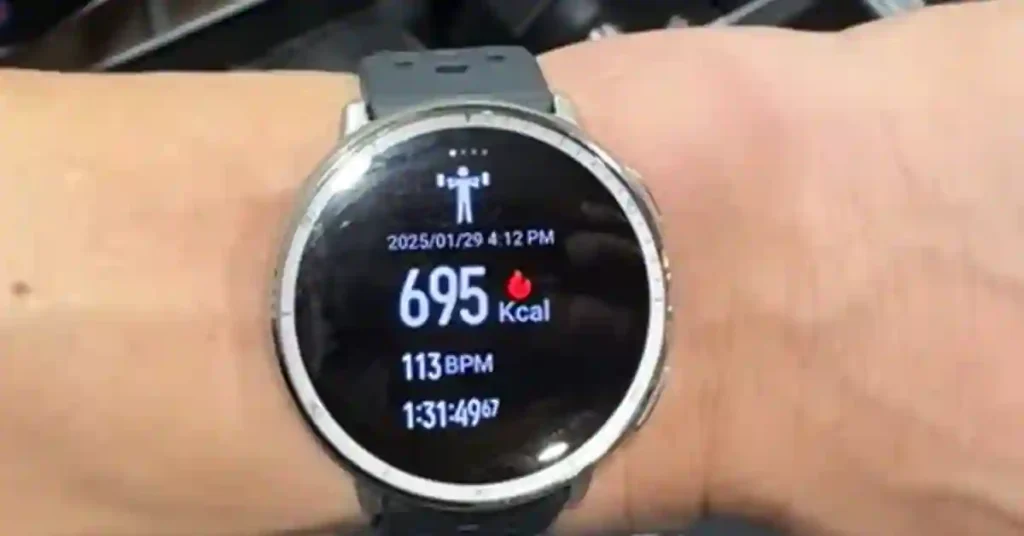
I tested over 20 runs across different intensity levels using a Polar H10 chest strap as the reference.
| Intensity | Active 2 Avg | Chest Strap Ref | Difference |
|---|---|---|---|
| Easy run (conversational) | 138 BPM | 135 BPM | +3 BPM ✓ |
| Moderate (comfortably hard) | 162 BPM | 158 BPM | +4 BPM ✓ |
| Hard intervals (400m reps) | 171 BPM | 182 BPM | −11 BPM ⚠ |
Easy and moderate: very accurate — within 3–4 BPM, comparable to Garmin and Apple Watch at steady state. Hard intervals: the wrist sensor lags significantly.
This is a fundamental limitation of all optical wrist sensors at any price — Apple Watch does the same. If you train seriously with intervals, use a chest strap for those sessions. For everything else, the Active 2 is accurate enough.
Battery Life: 16 Months of Real Data
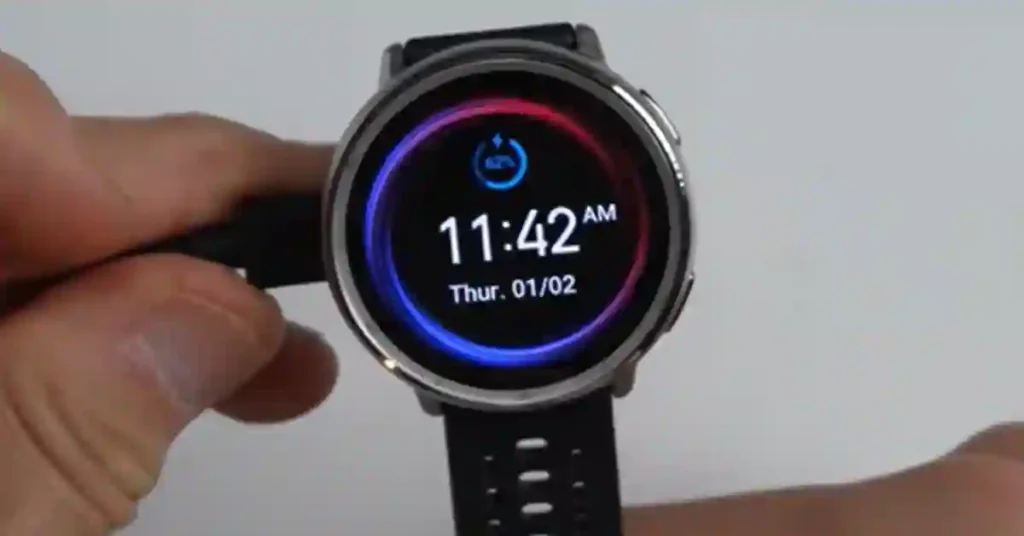
Amazfit claims 10 days typical use. Here is what I actually get:
| Usage Pattern | My Consistent Result |
|---|---|
| Light use, notifications only | 9–10 days |
| 1 GPS workout/day, 24/7 health tracking | 6–7 days |
| Daily GPS + always-on display on | 3–4 days |
| Long GPS workout (2+ hr) then normal use | 4–5 days |
My standard week: one 90-minute GPS run Saturday, two 30-minute runs mid-week, AOD off, 24/7 HR on, sleep tracking on, SpO2 auto-detect off. Sunday night charge. 16 months of this and I’ve never run out mid-week.
Single biggest battery saving tweak: Turn off continuous SpO2 monitoring. Settings → Health Monitoring → Blood Oxygen → change from Auto Detect to Manual. Gained roughly 1.5 extra days from this one change. Check SpO2 manually whenever you’re curious — reads in under 10 seconds.
Health Tracking: What’s Actually Useful
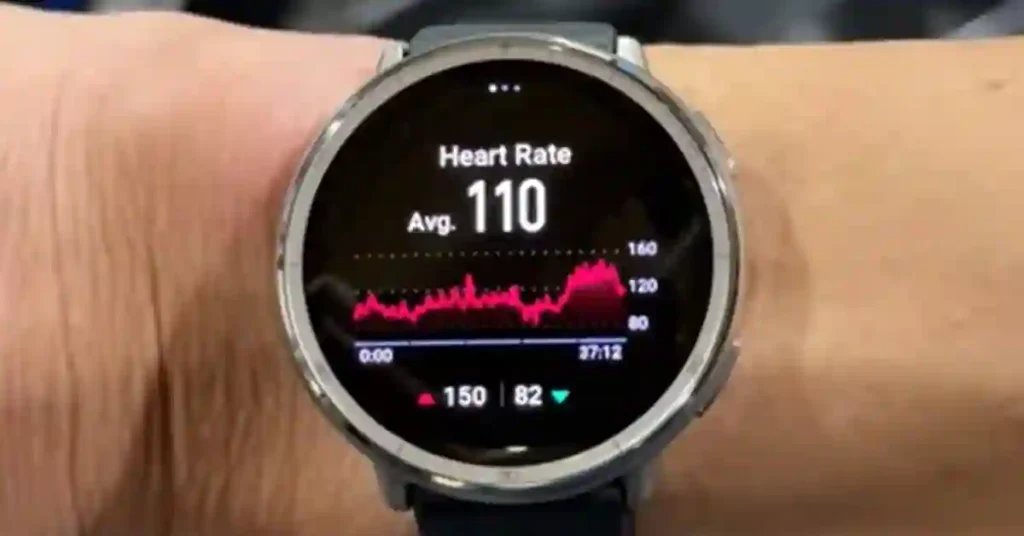
Sleep tracking is genuinely good. Over 16 months it has correctly identified my sleep and wake times within 10–15 minutes on the vast majority of nights. Stage breakdown I take as directional rather than precise — but the trends are consistent enough to see how late nights, alcohol, or high training load affects sleep quality. That’s useful information.
SpO2 works for spot checks. Used it during a hiking trip at 2,800m — readings stayed consistent and plausible through altitude changes. For medical decisions, use a medical device. As a wellness indicator it earns its place.
Stress monitoring I stopped using after about three months. It reliably shows high stress during workouts and seems to miss actual psychological stress. I turned it off and got a cleaner dashboard.
Skin temperature is one of the BioTracker 6.0 additions I’ve found genuinely interesting. During my one bout of illness this past year, the watch showed elevated skin temperature a day before I felt obviously sick. Anecdotal — but the pattern was there in retrospect.
8 Hidden Features Most Active 2 Owners Never Find
I spent weeks randomly poking around the settings menu over 16 months. These features are real and useful — none of them are in the quick-start guide.
01. Direct Phone Calls from Your Wrist– Built-in mic and speaker. Answer calls directly on the watch. Fine for quick conversations.
Settings → Bluetooth → Call Handling
02. Offline Voice Control — No Phone Needed Control the watch by voice with no phone and no Wi-Fi. “Start running,” “pause workout,” “set a 3-minute timer” all work.
Settings → Voice Assistant → Offline Voice Control
03. Customizable Workout Data Screens – Choose exactly what shows on each screen during your workout. Default screens waste half the display on data you may not need.
Workout → gear icon → Data Pages
04. Built-in Interval Training – Set work interval, rest interval, number of rounds. Watch vibrates to signal each transition. Works as well as any dedicated running watch.
Workouts → Running → gear → Interval
05. Multiple Simultaneous Timers – Tap “+” to add a second timer. Each runs and stops independently. Rest timer + total workout timer simultaneously.
Timer app → tap “+”
06. Screen Stay-On Mode (Up to 20 Min) – Screen stays awake without timing out. Use when following a route map on a hike or tracking lap splits at the track.
Swipe down → screen icon → select duration
07. Wrist Lock for Privacy – Locks automatically when you take it off. Your messages and health data stay private. Set it on day one and forget about it.
Settings → Preferences → Wrist Lock
08. Sleep Schedule + Silent Alarm – Set target bedtime and wake-up time. Vibration wakes only you. Wind-down reminder 30 min before bedtime. Genuinely helped fix my inconsistent sleep schedule over two months.
Sleep app → Settings → Sleep Schedule
How It Compares to the Competition in 2026
| Vs. | Active 2 Wins | Competitor Wins |
|---|---|---|
| Fitbit Charge 6 ($159) | Display, GPS (Charge 6 has none!), battery 7d vs 4d, price | Google Pay, Google Maps integration |
| Samsung Galaxy Watch FE ($199) | Battery 7d vs 1.5d, offline maps, price $70 less | Wear OS ecosystem, call quality, Google Pay |
| Garmin Forerunner 55 ($199) | AMOLED display, offline maps, price $70 less | VO2 Max, training load, recovery time, Connect app |
| Apple Watch SE ($249) | Battery 7d vs 1.5d, offline maps, $120 cheaper | iPhone ecosystem, Siri, Apple Pay, native Health sync |
For a deeper look at the budget watch decision, see our Amazfit Active 2 vs Bip 6 comparison and the Active 2 vs Balance 2 guide — which covers whether the $70 upgrade makes sense.
What Works Well
- Premier visibility via the 1.32″ 2,000-nit AMOLED display.
- High structural build standard via the Stainless Steel bezel and Sapphire Glass.
- Dual-frequency 5-satellite GPS tracking stability.
- Standalone offline route map files with turn-by-turn navigation paths.
- Reliable 6-7 day active battery cycles.
- Functional standalone tools (Offline Voice Controls, Wrist Calls, Biometric tracking updates).
✗ Where It Falls Short
- Low user-accessible file storage space (150MB – 175MB free after OS requirements).
- Total absence of NFC / Zepp Pay contactless checkout capabilities.
- Optical HR arrays lag behind target tracking lines during explosive anaerobic intervals.
- Loose magnetic orientation on the stock charging puck layout.
- No internal options for syncing data directly into native Apple Health frameworks.
Standard Edition (Circular / Stainless Steel Case) ➡️ Check Price on Amazon
Premium Edition (Circular / Stainless Steel / Sapphire Glass) ➡️ Check Price on Amazon
Setting Up Your Active 2: First Week Guide
Just got one? Here’s how to get set up properly from the start — including the settings most people miss.
- Pair with Zepp App – Download Zepp app → Create account → Add Device → follow the steps. Takes about 5 minutes. Fill in height, weight, and fitness level accurately — they directly affect calorie calculations.
- Pick Your Watch Face First – Settings → Watch Face → browse the Zepp app library. Spend 10 minutes here — a data-dense face replaces most of your daily swipe-checking. Settings → Watch Face → Browse
- Set Up Workout Shortcuts – Put your top 3 workouts at the top of the list so you’re not scrolling through 160+ modes every time. Settings → Workout Shortcuts
- Turn On Wrist Lock – Day One – Locks automatically when you take it off. Your health data and messages stay private. Settings → Preferences → Wrist Lock
- Turn Off Continuous SpO2 Auto-Detect – The single biggest battery-saving tweak. Gains you ~1.5 extra days with no real downside. Settings → Health Monitoring → Blood Oxygen → Manual
- First GPS Run — Stand Outside First- Stand in an open area for 90 seconds before starting your first GPS workout for full satellite lock. After the first run, subsequent locks are often under 20 seconds.
Frequently Asked Questions
Does the Amazfit Active 2 work with iPhone?
Yes. It pairs via Bluetooth and the Zepp app on iOS. You get notifications, health data sync, and all the watch’s features. It doesn’t sync natively with Apple Health and Siri integration isn’t available. For iPhone users who don’t need deep Apple ecosystem features, it works perfectly well.
What’s the read difference between Standard and Premium?
Internally and structurally, they are twins. Both feature a premium circular stainless steel case and a 1.32-inch AMOLED screen. The Premium ($129) upgrades the display protection to scratch-proof Sapphire Glass and bundles both a classic leather strap and an extra red silicone band in the box. The Standard ($99) uses standard 2.5D tempered glass and a single silicone strap.
Does it have NFC for payments
No. The Active 2 doesn’t support Zepp Pay or any contactless payment. If this is important to you, look at the Amazfit Balance 2 or T-Rex 3 Pro, both of which support Zepp Pay.
How accurate is the heat rate sensor?
Within 3–4 BPM at easy to moderate intensity compared to a chest strap reference. During hard intervals it lags by 10–12 BPM — this is a wrist-sensor limitation across all brands at any price, not an Active 2-specific issue. For casual fitness tracking it’s accurate enough. For serious interval training, add a chest strap.
Can I use it without my phone?
Yes for most things: GPS workouts, offline maps, offline voice control, timers, alarms, sleep tracking. You need your phone nearby for message notifications, Zepp Flow AI responses, and app syncing. For a run or trail hike without your phone, it works completely standalone.
How waterproof is it?
5 ATM — safe for swimming, showering, and rain. Not rated for scuba diving or high-pressure water sports.
is the Amazfit Active 2 still worth buying in mid-2026?
Yes. Sixteen months in, nothing at the $99–$129 price point matches it for GPS accuracy, display quality, battery life, and offline maps. Zepp OS 5 added meaningful features since launch and the firmware keeps improving. It’s still my daily recommendation for anyone shopping under $150.
What firmware updates has it received -is it still being supported?
Actively supported as of June 2026. Major updates include the v6.1.20.3 strength tracking fix, v6.3.10.4 pro running metrics and HIIT modes, and the full Zepp OS 5 overhaul adding voice AI and draggable maps. See our complete Active 2 firmware update history for the full changelog.
Keep Reading
