


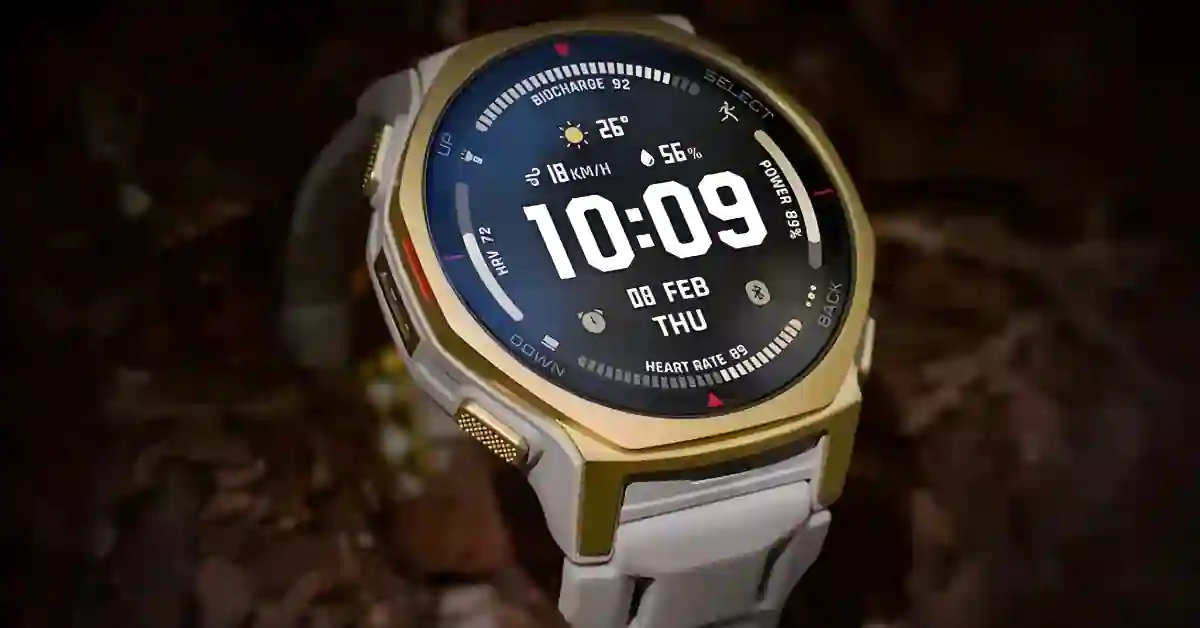
If you own an Amazfit T-Rex 3 Pro, check your Zepp Health app — a meaningful firmware update is rolling out now.
This isn’t the usual “bug and security fixes” note: it brings smarter training features, navigation and elevation improvements, and small UX fixes that actually matter when you’re out training or exploring.
Smarter Training: Zepp Coach Wins and Data Protection
The update makes Zepp Coach proactive in two valuable ways:
- Battery pre-check + warning: before a workout, Zepp Coach checks the watch’s battery and warns you if the session may outlast the charge. That simple heads-up helps you avoid starting a long effort with insufficient power.
- Auto-save if the watch dies: if the T-Rex 3 Pro shuts down during a workout, the watch now saves all recorded data up to the shutdown. No more losing long runs or bike rides because the battery cuts out.
Why this matters: for long rides, ultras, or multi-hour hikes, lost workout data is more than an annoyance — it wrecks training logs and makes it harder to analyze progress.
These two changes reduce that risk and make the watch far more reliable in the field.
Precision Fixes for Outdoor Tracking and Navigation
Amazfit focused on two outdoor staples:
- Altitude algorithm tuned for cycling: total-ascent numbers should now align better with real-world climbs — a welcome fix for cyclists and anyone training on hilly terrain.
- Terrain Map improvements: route creation is faster and more reliable in the watch’s Terrain Map app, so planning and on-the-fly rerouting should feel snappier and less likely to freeze.
Those changes don’t sound flashy, but if you’ve ever had mismatched elevation data or a route fail mid-hike, you’ll appreciate them.
Essential Quality-of-Life and Interface Improvements
Amazfit also shipped several small interface improvements:
- Battery % visible on workout screen — no more backing out to check charge mid-session.
- Haptic feedback when unlocking during workouts — gives tactile confirmation when input registers, beneficial with wet or sweaty hands.
- Tap-to-enlarge images in notifications (Android only) — better handling of image notifications right from the wrist.
These are the kind of everyday niceties that make a watch feel finished rather than half-built.
Other fixes: Daylight Saving Time and general stability
The firmware resolves a Weather app bug that showed issues around Daylight Saving Time transitions and includes further stability improvements across the system. Small, but helpful if you travel across time zones.
The Final Checklist: Install Guide, Benefits, and FAQ
- Charge the watch to at least 50% before you update.
- Open the Zepp Health app and keep it active (don’t switch apps).
- Install when connected to Wi-Fi or a reliable mobile network. The update typically takes 10–15 minutes and restarts the watch automatically. (Amazfit support docs explain the System Update flow in the Zepp app.)
Who Benefits Most From this Update?
- Ultra runners / multi-day trekkers — battery pre-checks and auto-save are a huge reliability boost.
- Cyclists on hilly routes — better ascent numbers make training metrics more trustworthy.
- Outdoor navigators — faster Terrain Map routing reduces friction while planning or rerouting on the go.
- Daily users — UI polish, haptics, and notification image previews improve everyday usability.
When Will I Get the Update?
The update is rolling out in stages via the Zepp Health app — availability varies by region and carrier. Check the app’s System Update section.
Will this Update Fix GPS or Accuracy Problems?
The update improves altitude accuracy and route generation speed but won’t change the hardware’s GPS chipset. Expect better ascent numbers and smoother map performance.
