



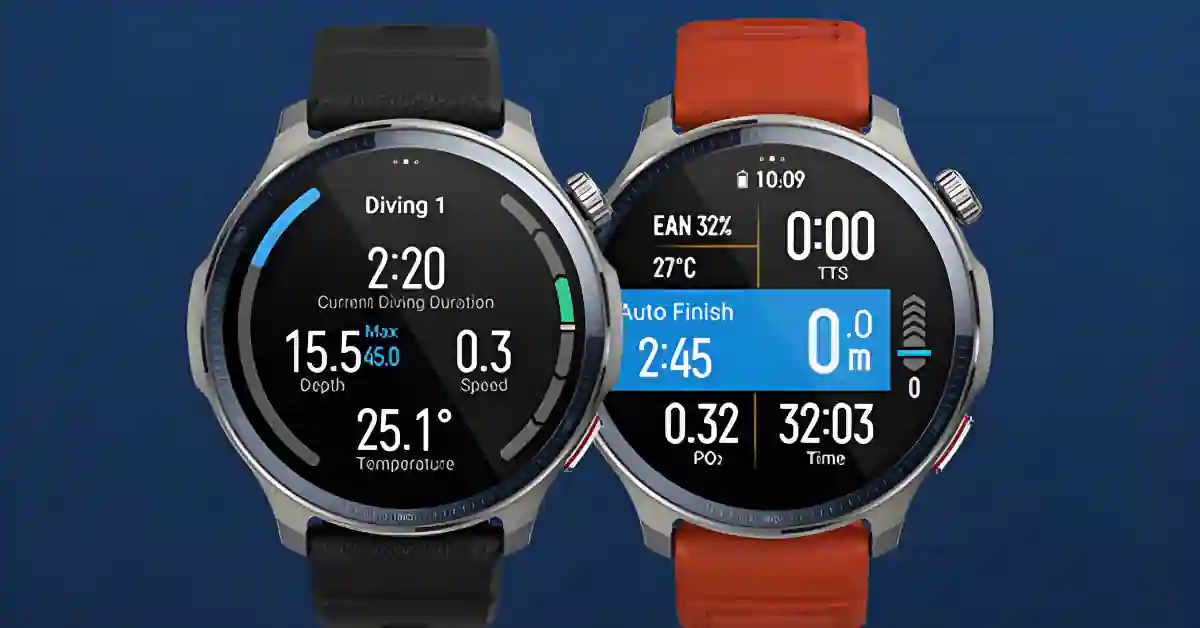
Looking for a smartwatch that nails fitness, lasts for days, and still feels premium? The Amazfit Balance 2 might be the one.
After weeks of daily use, it stands out for accurate tracking, long battery life, and a smart set of features that fit real life.
In this Amazfit Balance 2 Review, you’ll find the wins, the quirks, and how it stacks up against heavy hitters like Garmin and Huawei. The short take: it gets a lot right, and one small fix makes it even better.
Health Tracking Features
The Balance 2 uses the BioTracker 6 PPG sensor, the same one found on the T‑Rex 3 Pro and Amazfit Active 2.
That is a big deal for accuracy. Heart rate and SpO2 tracking are reliable during workouts. Stress tracking runs all day and responds well to changes in pace or workload.
You also get body temperature monitoring.
Tracked metrics:
- Heart rate
- Blood oxygen (SpO2)
- Stress
- Body temperature
- Sleep stages and sleep score
- HRV during sleep
Body temperature from the wrist usually reads a few degrees lower than a forehead thermometer. Use it for trends, not for medical decisions.
Sleep Tracking Improvements
Sleep tracking has stepped up over the first Balance. It reads sleep cycles more accurately and gives clear insights that help you build better habits.
It is not quite as sharp as the Oura Ring 4 for micro awakenings and HRV during sleep, but it is close enough for most users.
Sleep insights include:
- Sleep stage detection and duration
- Sleep consistency trends
- Sleep score with coaching tips
- HRV overview during sleep
- Naps and recovery hints
Overall Health Insights
Day‑to‑day health tracking is stable and useful. It may not match the most advanced health wearables in deep analysis, yet it delivers consistent trends that help you act.
Verdict: Solid trends for health monitoring. If you want a great general fitness watch with strong tracking, see the product page for the Amazfit Balance 2.
Workout and Fitness Performance
This watch is ready for serious training. It includes more than 150 workout types and delivers strong accuracy across the board.
- Side‑by‑side tests with a Polar H10 chest strap showed very close heart rate results.
- Compared with a Garmin Fenix 8 during runs, hiking, and cycling, heart rate and pacing felt aligned and dependable.
Workout examples: running, hiking, cycling, strength training, indoor cardio.
GPS and Navigation Strengths
The multiband GPS is excellent. Satellite lock is fast, the real‑time pace is stable, and the route lines track well, even in tricky areas.
The Balance 2 also supports offline maps and route navigation. That puts it closer to Garmin than any prior Amazfit in this range.
“The Amazfit Balance line is no longer a casual fitness tracker.“
GPS benefits:
- Fast satellite connection
- Accurate tracking for outdoor activities
- Offline maps and turn‑by‑turn route support
Training Goal Support
With strong heart rate accuracy, reliable GPS, and robust sport profiles, the Balance 2 can carry your training plan.
You can push long workouts without battery stress, and you can add external sensors for even better metrics.
Pro tip: Pair it with external sensors for more precise data during intervals or cycling.
Design and Build Quality
Unboxing and First Impressions
The unboxing feels thoughtful. You get a choice of straps: a classic black option or a bold lava color.
The aluminum alloy bezel looks and feels premium and keeps weight in check. It is a bit heavier than the CMF Watch Pro 3, yet it stays comfortable on long sessions.
Premium feel that holds up through daily wear. It feels solid on the wrist during long training.
Display and Durability Details
You get a 1.5‑inch AMOLED display with up to 2,000 nits of peak brightness. You can read it outdoors with no trouble.
The sapphire crystal looks great and resists scratches, though it sits slightly above the bezel without a protective frame. That makes it more exposed to bumps.
After weeks of use, no scratches showed up. The watch also passes military‑grade durability standards and has strong water resistance.
Pros:
- Tough bezel and casing
- Bright, crisp display
- Comfortable fit for long workouts
Cons:
- Exposed sapphire crystal
- Screen protectors may not fit well
Want to browse more watches? Check out 7 Best Amazfit Watches 2026: Buyer’s Guide & Review
Key Technical Specifications
Core Hardware Components
- BioTracker 6.0 optical sensor
- 1.5‑inch AMOLED display, up to 2,000 nits
- 658 mAh battery, one of the largest in the Amazfit lineup
- Multiband GPS
- Wi‑Fi and NFC
- Microphone and speaker
- Zepp OS 5 with third‑party app support
- Military‑grade durability, strong water resistance
- Offline maps and route navigation
- Zepp app for phone pairing and data
Bolded spec list:
- Sensor: BioTracker 6.0, accurate during intense workouts
- Display: 1.5‑inch AMOLED, 2,000 nits peak
- Battery: 658 mAh, long endurance
- Connectivity: GPS, Wi‑Fi, NFC, Bluetooth
Smart Features Overview
There is no LTE model, yet you can make Bluetooth calls with the built‑in mic and speaker. Offline maps and navigation are a big win for outdoor training.
Compared with Apple Watch or Wear OS devices, this is less about app ecosystems and more about fitness, stamina, and training tools.
Flagship‑grade for Amazfit, but focused on fitness.
Integration with Accessories
The watch supports external heart rate monitors and pairs smoothly with the new Amazfit Helio strap for real‑time workout metrics. Cyclists and runners will appreciate the extra accuracy.
Battery Life and Endurance
Real‑World Battery Performance
This is a battery beast. With notifications on, always‑on display, daily workouts, and continuous heart rate tracking, battery life reaches about 10 full days.
That is better than a Garmin Fenix 8 AMOLED in similar use. Turn off always‑on display and you can easily double that. Reduce tracking frequency, and it lasts even longer.
- Up to 10+ days of use with full features on.
- Insane stamina, one of the best tested.
Factors Affecting Battery
Wi‑Fi drains the battery if you leave it on. Keep it off unless you are updating the watch, installing apps, or downloading maps.
Tips:
- Disable always‑on display for maximum life
- Lower HR sampling if you need to stretch days
Connectivity Options
Bluetooth and Sensor Pairing
Pairing is stable and quick. External HR straps connect with no drama.
The Helio strap works well. Sync with your phone through the Zepp app is smooth.
Top‑notch connectivity for fitness use.
NFC and Payments
NFC works through Zepp Pay. Bank and card support is limited, especially in North America.
Check supported cards before you rely on it.
Verify compatibility before counting on contactless payments. For a complete walkthrough, see our full guide: Which Amazfit Watches Have NFC Pay? Zepp Pay Models & Setup Guide.
Wi‑Fi Use Cases
Wi‑Fi is handy for updates, app installs, and offline maps. Turn it off when you are done to save power.
Software Experience: Zepp OS 5
User Interface and Navigation
Zepp OS 5 feels lightweight and quick. Scrolling is smooth most of the time, with a few minor stutters seen early after launch.
The default button mapping may throw you off, though. The top button opens workouts instead of apps.
There is an easy fix:
- Go to Settings
- Open Accessibility
- Disable Button Mode
Total game changer for app access. This restores the Balance 1 logic, where the top button opens the app list and the bottom button opens workouts.
Customization and Notifications
There are plenty of watch faces and layout tweaks. You can set custom vibrations and behaviors that match your routine.
Notifications are a highlight, with advanced handling that shines on Android. Actions feel close to what you get on an Apple Watch or a good Wear OS device.
Notification perks:
- Quick replies and actions
- Clear stacking and grouping
- Custom vibration patterns
Want to take things up a notch? Check out our in-depth guide — Master Zepp OS Notifications: Amazfit Watch Guide — and learn how to get the most out of every alert.
App Support and Updates
Zepp OS 5 supports third‑party apps and keeps growing. You get Strava and Google Fit integration for workout sync and health data sharing. Evolving software keeps it fresh.
Zepp Smartphone App Enhancements
Health Analytics and Trends
The Zepp app has grown into a strong companion. It gives clear health analytics and coaching‑style summaries.
It takes 2 to 3 weeks of steady use to see your patterns and get useful advice that matches your habits.
Genuine, helpful advice like:
- Pattern‑based training and recovery suggestions
- Sleep and stress trends
- HRV context and raw data views
Integration and Compatibility
Strava and Google Fit sync are built in. You will get the most from notifications on Android, though iPhone users still get a good experience for fitness and health.
Speaker and Audio Quality
Speaker Performance
The built‑in speaker is loud and clear. Calls sound great. Music prompts and alerts are easy to hear during a run.
Best ever tested in a smartwatch at this price. Crowd‑pleasing sound.
Drawbacks and Final Verdict
Notable Shortcomings
No device is perfect. A few things to keep in mind:
- Alarm issue: The first minute of vibrations can be easy to miss. A firmware fix would solve it.
- No LTE model: You will need your phone for calls and data.
- Exposed sapphire crystal: Sits above the bezel, so be careful with bumps.
- Occasional UI stutters: Minor and likely to improve with updates.
- Default button logic: Confusing at first, but the settings fix is quick.
- NFC limits: Zepp Pay support varies by region and bank. North America is the most limited.
- No built‑in torch: Garmin’s Fenix series has a handy torch button. You can map a long‑press shortcut here, though it is not the same.
Comparisons to Competitors
When stacked up against its main rivals, the Amazfit Balance 2 confidently holds its ground — and in some areas, even outperforms them.
| Feature | Balance 2 | Garmin Fenix 8 |
|---|---|---|
| Battery (typical use) | Around 10 days | Shorter under similar use |
| GPS accuracy | Excellent | Benchmark-level |
| Offline maps | ✅ Yes | ✅ Yes |
| LTE | ❌ No | ❌ Absent on most Fenix models |
| Speaker/Mic | ✅ Yes | ⚙️ Depends on the model |
| Payments | Zepp Pay (limited coverage) | Garmin Pay (widely supported) |
Against Huawei Watch GT Series:
The Balance 2 comes out ahead with stronger navigation, offline maps, and more advanced training tools — ideal for serious fitness users.
Against the first Amazfit Balance
You’ll notice clear upgrades — improved sensors, more accurate sleep tracking, and a more polished, stable software experience.
Against Wear OS Watches
While it can’t match Wear OS in app variety or smart features, the Balance 2 dominates in battery life and fitness endurance — lasting days longer while tracking everything with precision.
Against Amazfit T-Rex 3
Both excel in fitness and outdoor tracking, but the Balance 2 adds a speaker, mic, and NFC support — giving it the edge for everyday convenience.
In short, Amazfit Balance 2 is a well-balanced (pun intended) smartwatch that blends fitness power, strong battery, and useful smarts without overcomplicating the experience.
Overall Recommendation
The Balance 2 nails the basics and improves the experience with long battery life, sharp GPS, and useful software.
It is not the most premium watch, and it is not the smartest in apps, but it is the most complete Amazfit yet. For most people, this is the right mix of features and price.
Best all‑rounder of 2026? Yes, for most users. If this one fits your needs, check current pricing and and full details on the Amazfit Balance 2 product page on Amazon.
Final Verdict: Is the Amazfit Balance 2 Worth Buying?
The Amazfit Balance 2 stands out for its accuracy, battery life, and everyday usability.
It wins on training tools, navigation, and comfort, with a few quirks that are easy to live with.
If you want a smartwatch that can track hard workouts and still last for days, this is a smart pick. Balance 2 is the right name for it.
Thanks for reading, and share your thoughts or questions below if you are comparing it to Garmin, Huawei, or the T‑Rex 3.
Ready to level up your wrist game? Check the latest Amazon deals on the Amazfit Balance 2 →
The Balance series also moves the lineup forward with a titanium option, and our Amazfit Balance 3 Titanium vs Stainless Steel comparison looks at whether the newer premium version is worth the higher price.
