


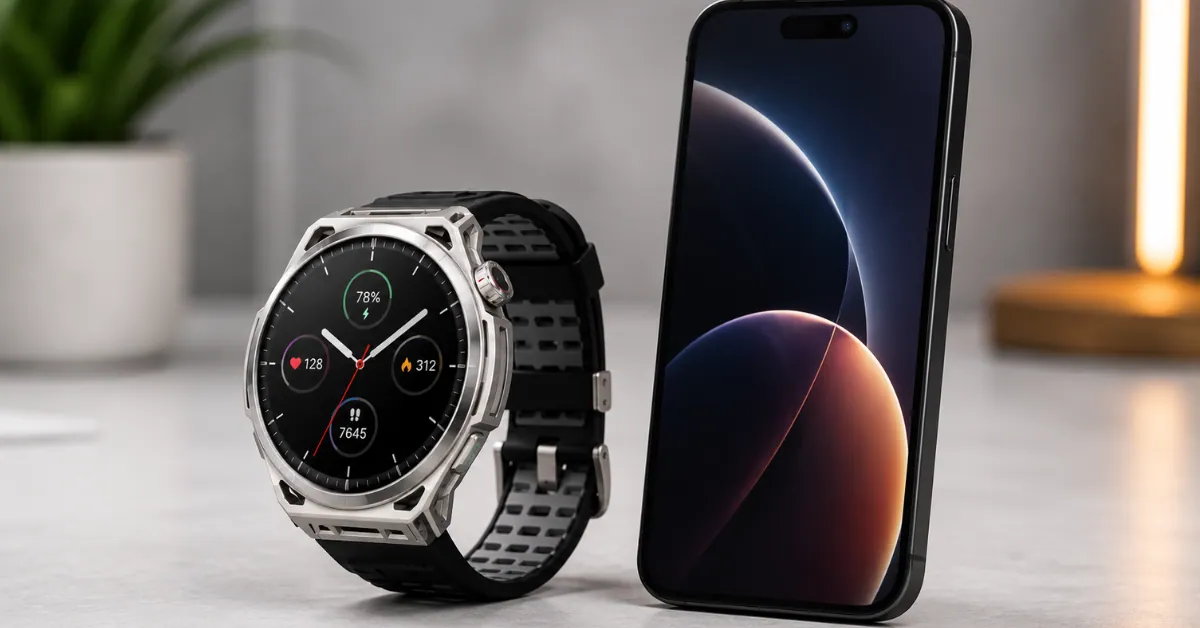
Short answer: Yes, Amazfit works with iPhone. Every current Amazfit watch connects to iPhone through the Zepp Health app, syncs to Apple Health, and shows your notifications on your wrist.
But “works with iPhone” covers a wide range — from basic step counting to replying to messages. The honest answer is more nuanced than a yes or no.
Here’s exactly what you get when you pair an Amazfit with an iPhone, what you give up compared to Apple Watch, and which Amazfit makes the most sense if you’re on iOS.
What You Need to Get Started
Every Amazfit watch requires the Zepp Health app to work with iPhone. It’s free on the App Store and available for iOS 16 and later.
You don’t need an Android phone. You don’t need any special settings. Download the app, create a free account, and the watch pairs via Bluetooth in a few minutes.
One thing worth knowing: Amazfit doesn’t require a subscription. The Zepp Health app is free. All core health features — sleep, heart rate, GPS, stress, SpO2 — are included at no ongoing cost. That’s a real difference from Whoop ($239/year) and Oura ($71.88/year).
What Actually Works on iPhone
✅ Health and Fitness Tracking
Every health feature works on iPhone exactly the same as Android. Steps, heart rate, sleep stages, stress, SpO2, HRV, BioCharge energy score, VO2 max, and workout tracking all sync from your watch to the Zepp app.
It also syncs to Apple Health automatically. Go to Zepp app → Profile → Connected Apps → Apple Health → Connect. After that, your Amazfit data appears in Apple Health alongside any other health apps you use — MyFitnessPal, Strava, your doctor’s patient app, whatever you rely on.
✅ GPS Tracking
GPS works independently of your phone on all mid-range and premium Amazfit models — Active 3 Premium, Active Max, Balance 2, Balance 3, T-Rex 3, T-Rex 3 Pro, T-Rex Ultra 2, Cheetah 2 Ultra. Your watch records a GPS route without your phone present. When you get home, it syncs automatically.
✅ Notifications on Your Wrist
Call alerts, text notifications, calendar reminders, and app notifications show up on your wrist. You can see who’s calling, see the content of texts and emails, and see alerts from almost any app on your iPhone.
And as of 2026, notifications on Amazfit with iPhone have gotten significantly more capable. More on that below.
✅ Music Control and Storage
Control music playing from your iPhone directly from your wrist — pause, skip, volume. Works with Spotify, Apple Music, and any iOS audio app.
Mid-range and premium models (Active 3 Premium, Balance 2, Balance 3, T-Rex 3 Pro, T-Rex Ultra 2, Cheetah 2 Ultra) also have onboard storage so you can listen without your phone at all via Bluetooth headphones.
✅ Apple Health Sync
Your Amazfit data flows into Apple Health automatically once connected. Any app that reads from Apple Health — MyFitnessPal, Strava, your hospital’s patient app — can see your data.
✅ Find My Phone
Tap the phone icon on your watch and your iPhone rings — even on silent.
What Doesn’t Work on iPhone
❌ Apple Pay
Amazfit uses Zepp Pay, which requires cards that specifically support Zepp Pay. It doesn’t connect to Apple Pay. For most US iPhone users, this is the most noticeable daily limitation.
❌ Siri
You can’t use Siri from your Amazfit watch. Zepp has its own AI assistant (Zepp Flow on premium models) but it doesn’t connect to Siri or Apple’s ecosystem.
❌ watchOS Apps
Amazfit runs Zepp OS, not watchOS. There’s no App Store, no third-party watchOS apps. The apps available are what Zepp provides — fitness, health, weather, music control, wallet. If you depend on a specific Apple Watch app, that’s a real limitation.
❌ Emergency SOS via Satellite
Apple’s Emergency SOS satellite feature on iPhone doesn’t extend to Amazfit watches. Garmin offers its own satellite SOS on some models. Amazfit currently doesn’t.
The Big Change: iOS Notification Forwarding
Notifications have always been one of the most-used features on any smartwatch. But for a long time, “getting a notification” mostly meant glancing at your wrist and then reaching for your phone anyway.
That just changed for Amazfit on iPhone.
iOS Notification Forwarding is a new feature that moves Amazfit’s iPhone notification experience from passive alerts to genuine interaction — replying, taking action, and seeing images directly from your wrist.
Reply Without Reaching for Your Phone
For notifications that support replies — like a WhatsApp message — you can respond directly from your watch. No need to pull out your phone mid-run, mid-meeting, or mid-anything. This has been the most-requested feature from iPhone users for years.
Take Action Right There
Notifications with quick actions — like Mark as Read or Call Back — can be handled directly on the watch. Less interruption. More flow.
See the Full Picture
Some notifications include images — a doorbell alert, a security camera notification. With iOS Notification Forwarding, those images can display on your watch when the notification supports it. You know exactly what’s happening before deciding what to do.
Which Watches Support It Right Now
iOS Notification Forwarding is currently available on:
- Amazfit Cheetah 2 Ultra ($599)
- Amazfit Balance Ultra ($599)
- Amazfit Balance 3 ($369)
Coming soon to:
- Amazfit Bip Max
- Amazfit Active 3 Premium
- Amazfit Cheetah 2 Pro
- Amazfit T-Rex 3
- Amazfit T-Rex 3 Pro
- Amazfit T-Rex Ultra
- Amazfit Balance 2
How to Turn It On
Once your Zepp app and watch firmware are up to date, a Notification Forwarding prompt will appear the next time you open the app or connect your watch. Follow the steps — it takes a few minutes through your iPhone’s authorization flow.
Missed the prompt? Go to Zepp App → Device → Feature Checklist or Device → Notifications → App Notifications to enable it manually.
Current requirements: iOS 26.5 or later. Currently in Beta — Amazfit is continuing to improve the experience as Apple expands support for the capability.
Important note on reply support: Reply and action support varies by notification type. WhatsApp replies work. iMessage — because of Apple’s restrictions — still doesn’t support third-party reply. This will likely expand as the feature matures.
Amazfit vs Apple Watch on iPhone — Honest Comparison
| Feature | Amazfit | Apple Watch |
|---|---|---|
| Health tracking | ✅ Comprehensive | ✅ Comprehensive |
| GPS accuracy | ✅ Strong (dual-band on most) | ✅ Strong |
| Battery life | ✅ 10–30 days | ❌ 18–36 hours |
| Sleep tracking comfort | ✅ Light enough to wear all night | ⚠️ Needs nightly charging |
| Notification reply (iPhone) | ✅ Now available (select models) | ✅ Full support |
| Apple Pay | ❌ Zepp Pay only | ✅ |
| App ecosystem | ❌ Zepp OS only | ✅ watchOS apps |
| Siri | ❌ | ✅ |
| Apple Health sync | ✅ Via Zepp | ✅ Native |
| Subscription required | ❌ None ever | ❌ None |
| Price range | ✅ $79–$599 | ❌ $249–$799+ |
Choose Amazfit if: Battery life matters more than ecosystem depth. You want to sleep with your watch and hate charging daily. Budget is a real factor. You primarily want health tracking, GPS, and notifications without paying Apple Watch prices.
Choose Apple Watch if: Deep iPhone integration is essential. You use Apple Pay constantly. The watchOS app ecosystem matters to you. You want native Siri access.
Best Amazfit for iPhone Users — Ranked
Not every Amazfit is equal for iPhone users. Here’s which one makes the most sense based on what you want.
Best Budget Pick: Amazfit Bip Max — $99
The Bip Max is the most capable budget Amazfit for iPhone users. At $99, you get a 2.07-inch AMOLED display, 4GB of storage, 20-day battery, offline maps, and all the core health features.
The limitation: No NFC, so no Zepp Pay. And no iOS Notification Forwarding yet (it’s on the coming soon list).
For someone who just wants reliable health tracking and notifications on iPhone without spending much — this is the starting point.

Amazfit Bip Max 50mm Smartwatch, 2.07″ AMOLED Display, 20 Days of Battery, GPS, 4GB Storage, Offline Maps
Read our full Amazfit Bip 6 review for a detailed look at the budget Amazfit experience
Best for Runners: Amazfit Active 3 Premium — $169
The Active 3 Premium is the best Amazfit for iPhone users who run. Six-satellite GPS, sapphire glass, four-button layout, offline routable maps, running power, lactate threshold — and iOS Notification Forwarding is on the coming soon list.
The four-button layout matters specifically for iPhone users: since you can’t reply to messages, controlling workouts with physical buttons (not a touchscreen) is more important. You’ll be using the watch primarily for fitness, so the running tools are where the value is.
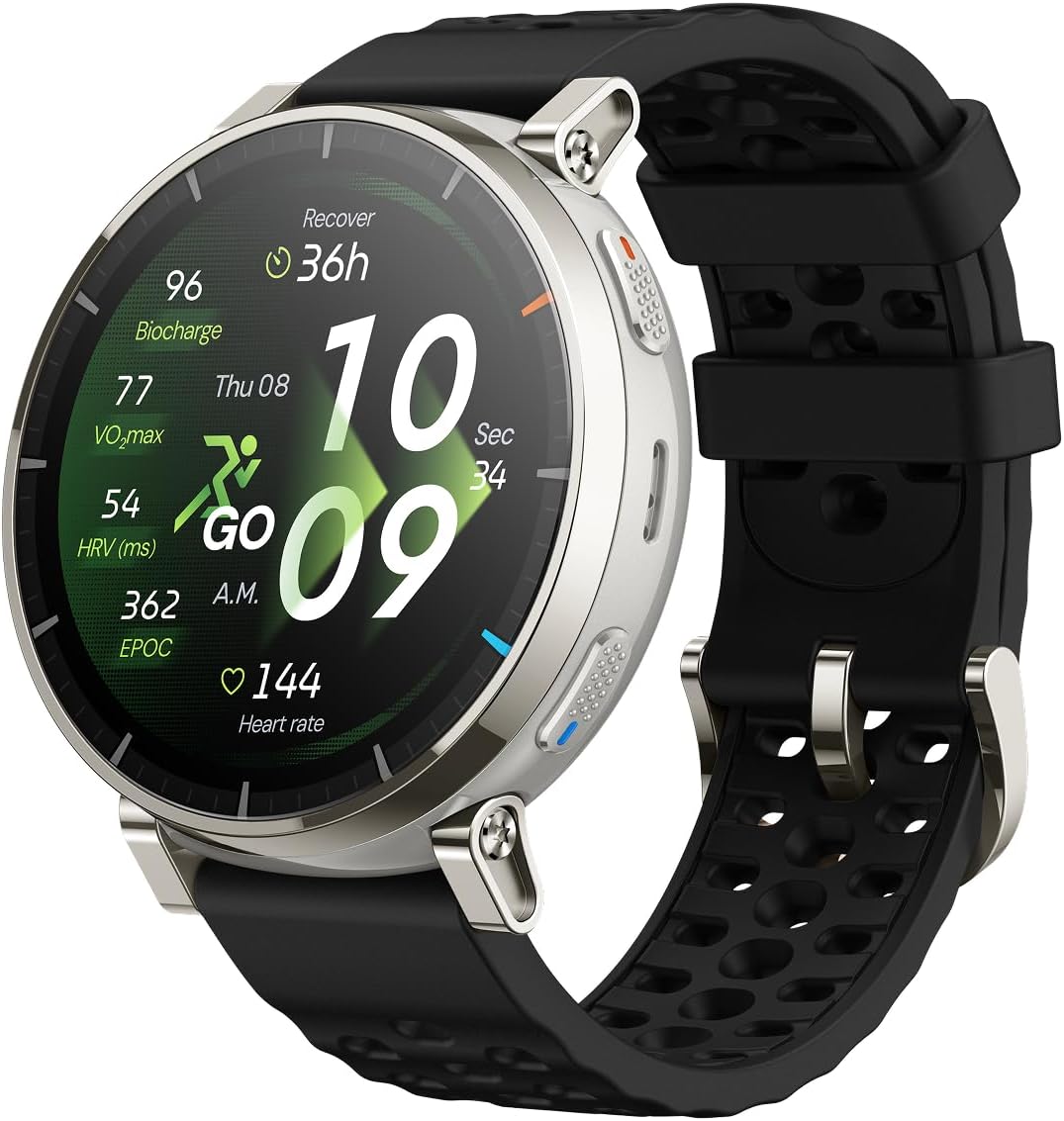
Amazfit Active 3 Premium GPS Running Smart Watch, 1.32″ AMOLED Sapphire Display, 12-Day Battery, 4GB Storage, Offline Maps
See our Amazfit Active 3 Premium vs Active Max comparison to understand the key differences
Best All-Around: Amazfit Active Max — $169
If running metrics aren’t the priority, the Active Max gives iPhone users the most features at $169. Bigger screen (1.5″), 25-day battery, dual-band GPS, NFC for Zepp Pay, and offline maps. The longer battery means you genuinely forget about charging.
The trade-off from the Active 3 Premium: two buttons instead of four, no sapphire glass, no dedicated running coaching tools.
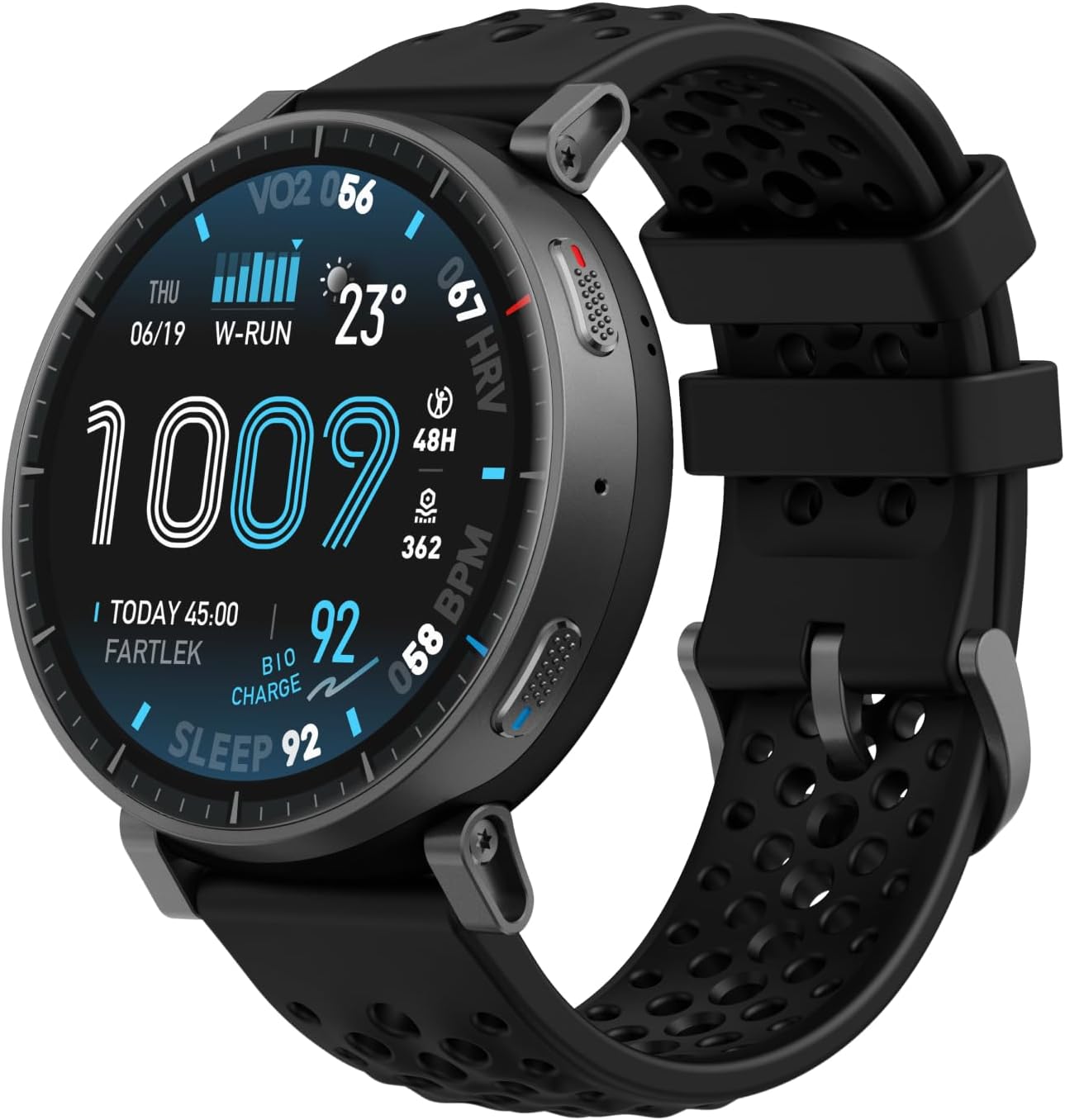
Amazfit Active Max Smart Watch 1.5″ AMOLED Display, 25-Day Battery, Offline Maps, GPS, 4GB Storage
Best Premium Pick: Amazfit Balance 3 — $369
The Balance 3 is Amazfit’s most complete watch for iPhone users right now — and it’s one of the first models getting iOS Notification Forwarding. If you want message reply capability on iPhone as soon as it comes to the US, the Balance 3 is the model to watch.
Beyond that: 64GB storage, 3,000-nit display, 21-day battery, HYROX training tools, and the most polished design in the lineup. It’s not cheap, but it’s the closest Amazfit gets to matching Apple Watch’s overall experience while keeping Amazfit’s battery advantage.

Amazfit Balance 3 GPS Smartwatch, 48mm 1.5″AMOLED Sapphire Glass, Stainless Steel Case, 21-Day Battery, Flashlight, 64GB, Offline Maps
See how it compares: Amazfit Balance 3 vs Balance 2
For Outdoor and Rugged Use: Amazfit T-Rex 3 Pro — $399
If you hike, trail run, or work in demanding conditions, the T-Rex 3 Pro covers outdoor use better than any Apple Watch and at a lower price than the comparable Garmin models. MIL-STD-810H rated, 10ATM water resistant, LED flashlight, offline topographic maps, 17-day battery.
iOS Notification Forwarding is on the coming soon list for the T-Rex 3 Pro as well.
Here’s the part you should know before buying: this watch has been seeing more returns than you’d expect for the price, and after digging into reviews, I think I found why. Several independent testers have run into a real bug in the offline navigation — on longer routes (15km+), it sometimes fails or reroutes you somewhere it shouldn’t.
If you’re picturing yourself relying on this thing to actually guide you through unfamiliar trails, that’s a real problem, and it’s probably why people are sending it back.
If you’re mainly after the fitness tracking, the flashlight, and a watch that can take a beating, this matters way less. But if trail navigation is the whole reason you want this watch, either wait for Amazfit to patch it or just go with a Garmin for now.

Amazfit T-Rex 3 Pro 44mm Sapphire AMOLED Display with Flashlight, Ti Bezel, Dual Band GPS, Offline Maps, 17 Days Battery
Our Amazfit T-Rex 3 vs T-Rex 3 Pro comparison breaks down whether the upgrade is worth it
How to Connect Amazfit to iPhone — Step by Step
- Download Zepp Health from the App Store
- Open the app and create a free account
- Tap Profile → Add Device
- On your Amazfit watch: go to Settings → Bluetooth and make sure it’s on
- The app scans and finds your watch — tap it
- Confirm the pairing code on both devices
- Allow all permissions when asked — notifications, location, health access
To set up Apple Health sync: Zepp app → Profile → Connected Apps → Apple Health → Connect → Allow all
If notifications aren’t showing on your watch: iPhone Settings → Notifications → Zepp → Allow Notifications → ON Then Zepp app → Profile → Your Watch → Notifications → enable each app
To set up iOS Notification Forwarding (if your model supports it): Look for the prompt in the Zepp app after updating firmware. Or go to: Zepp app → Device → Feature Checklist or Device → Notifications → App Notifications
Frequently Asked Questions
Does Amazfit work with iPhone 15 and iPhone 16?
Yes. All current Amazfit watches are compatible with iPhone 15 and iPhone 16 running iOS 16 and later. The Zepp Health app supports current iOS versions and is regularly updated.
Can I reply to texts on Amazfit from iPhone?
Currently no for most US users — iOS restricts third-party watch apps from sending messages. However, Amazfit just announced iOS Notification Forwarding in Europe on Balance Ultra, Balance 3, and Cheetah 2 Ultra, with more models coming. US availability hasn’t been confirmed yet but is expected.
Does Amazfit sync with Apple Health?
Yes. In the Zepp Health app, go to Profile → Connected Apps → Apple Health and connect. Your steps, heart rate, sleep, and workout data will sync automatically to Apple Health after each watch sync.
Do I need Android to use Amazfit fully?
No. All core health features work on iPhone. Android users get some additional notification interactivity — but with the iOS Notification Forwarding rollout underway, this gap is closing.
Which Amazfit works best with iPhone?
For most iPhone users: Amazfit Active Max ($169) for the best balance of features and price. Runners: Active 3 Premium ($169). Budget: Bip Max ($99). Premium: Balance 3 ($369) — one of the first models getting iOS Notification Forwarding.
Does Amazfit use Apple Pay?
No. Amazfit uses Zepp Pay, which requires banks and cards that specifically support Zepp Pay. It doesn’t integrate with Apple Pay. This is one of the real limitations for iPhone users in the US.
Will Amazfit iOS Notification Forwarding come to the US?
Amazfit hasn’t announced a US timeline yet. It launched in Europe in June 2026. We’ll update this page when US support is confirmed.
Can Amazfit work without a phone nearby?
For GPS tracking and stored health data — yes. The watch records independently. For notifications and message alerts — it needs Bluetooth connection to your iPhone. For syncing data — it needs the Zepp app on your iPhone within Bluetooth range or connected to Wi-Fi.
Related Guides on SmartWatchSphere
- Best Amazfit Smartwatches in 2026 — Every Model Ranked
- Amazfit T-Rex 3 vs T-Rex 3 Pro — Which Should You Buy?
- Amazfit Notifications Not Working? Complete Fix Guide
- Best Amazfit Under $100 in 2026
- Amazfit PAI Score Explained
iOS Notification Forwarding information sourced from official Amazfit announcement, June 2026. Feature availability and US launch timing subject to change — this page will be updated as new information becomes available. All prices as of June 2026.
