


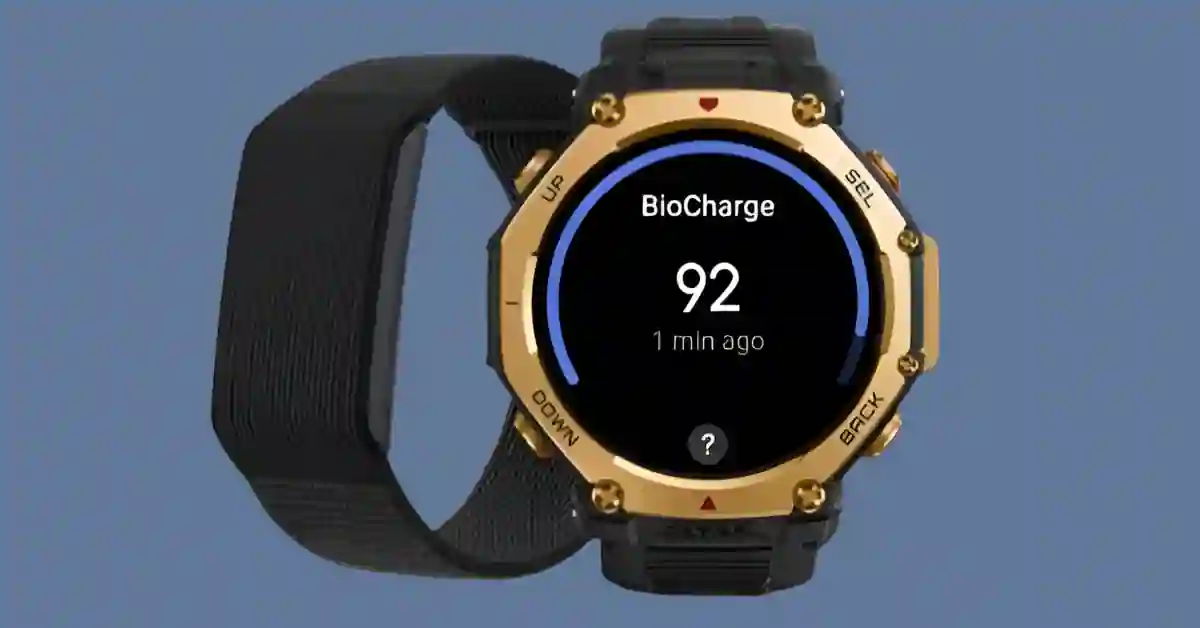
Zepp Health just rolled out version 9.12.1 for Android user, and it’s a pretty exciting one.
Two features that iOS users have had for a while—BioCharge and Route Planning—are finally making their way to Android smartwatches.
If you own a T-Rex 3 Pro or Balance 2, this update is definitely worth checking out.
BioCharge: Your Body’s Energy Dashboard
Think of BioCharge as a daily battery meter for your body. Instead of just looking at step counts or workout history, it combines data from sleep, exercise, and stress levels to give you a realistic view of your energy and recovery.
The real benefit? No more second-guessing whether you should push through a workout or give your body a break.
Over time, you’ll start spotting patterns in your energy flow, making it easier to fine-tune training and rest days.
Route Planning: Smarter Outdoor Workouts
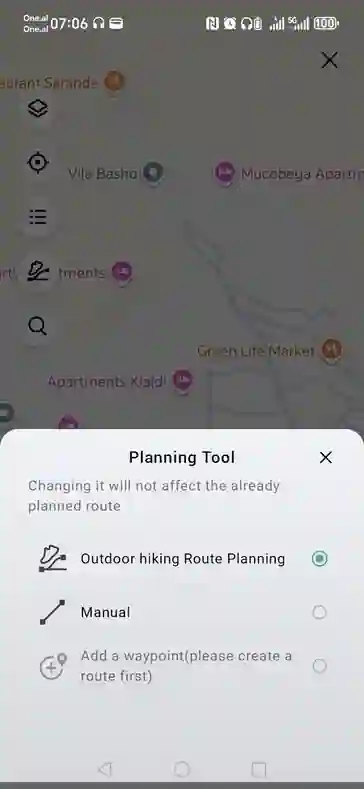
The other big win here is Route Planning, tucked away in the “Workouts” section of the app.
Using an interactive Google Map, you can design custom routes for running or cycling—complete with distance, elevation gain, and descent automatically calculated for you.
Once synced, the route shows up directly on your watch, so you can leave your phone at home and still stay on track.
Add in custom waypoints, and suddenly you’ve got the freedom to explore new routes or tweak old favorites with ease.
Why This Matters
It might sound like a minor update, but these two features can really change how you train.
- BioCharge helps protect against overtraining by showing when you’re actually ready to move and when it’s smarter to rest.
- Route Planning takes the hassle out of outdoor workouts, giving you accurate navigation without relying on your phone.
And with Android now catching up to iOS, the Zepp ecosystem feels a lot more unified.
How to Get It
- Android: Update to Zepp app version 9.12.1 via the Google Play Store.
- iOS: Already one step ahead with version 9.12.3 on the App Store.
Once installed, you’ll find Route Planning under the Workouts tab, while BioCharge activates automatically on supported devices.
Pro Tips for Using BioCharge
- Track your energy scores over time to spot trends in recovery.
- Pair BioCharge with your sleep and heart rate data for a fuller picture.
- Use it to balance activity and rest so your workouts actually pay off.
Quick FAQs
Which devices support BioCharge?
Zepp App’s BioCharge feature is officially supported on T-Rex 3 Pro and Balance 2.
Do I need internet for Route Planning?
Yes—to create the routes. But once synced, they’re available offline.
Can I use Route Planning for hiking?
It’s mainly built for running and cycling, but custom waypoints make it flexible enough for hiking too.
Final Thoughts
The Zepp app 9.12.1 update makes Android smartwatches brighter than ever. BioCharge helps you understand when to push and when to pause, while Route Planning turns outdoor workouts into smooth, phone-free adventures.
By finally bringing these tools to Android, Zepp Health isn’t just filling the gap with iOS—it’s giving every user a more balanced, intelligent approach to training and wellness.
Ready to get your hands on the latest Amazfit tech? The Amazfit T-Rex 3 Pro is currently listed at $399.99 on Amazon, offering rugged, high-end features like BioCharge energy tracking, sapphire glass, dual-band GPS, offline maps, and impressive 25-day battery life.
Meanwhile, the Amazfit Balance 2 is priced at $299.99 on Amazon, packing advanced metrics, 170+ sport modes, sapphire AMOLED display, and up to 21 days of battery life
Also See:-
