


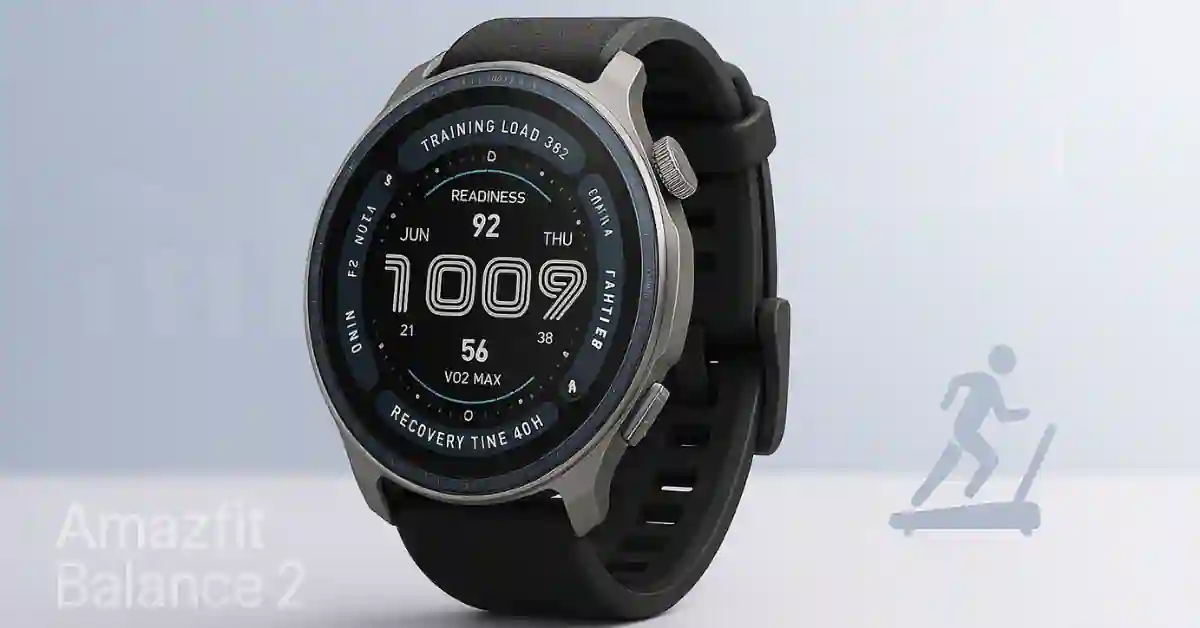
The Amazfit Balance 2 firmware update 3.30.2.1 version start rolled out, and it is one of the most impactful updates the watch has received since launch. The release is happening as a phased rollout worldwide, so not everyone will see it at the same time.
This new version brings fresh tools, smoother smartwatch functionality, better fitness tracking, and more substantial support for third-party training platforms.
If you own the Amazfit Balance 2, this update will make the watch feel more thoughtful, more personal, and easier to use every day.
If you’re new to the watch, you can learn more in our in-depth Amazfit Balance 2 Review.
What’s New in Amazfit Balance 2 Firmware Update 3.30.2.1?
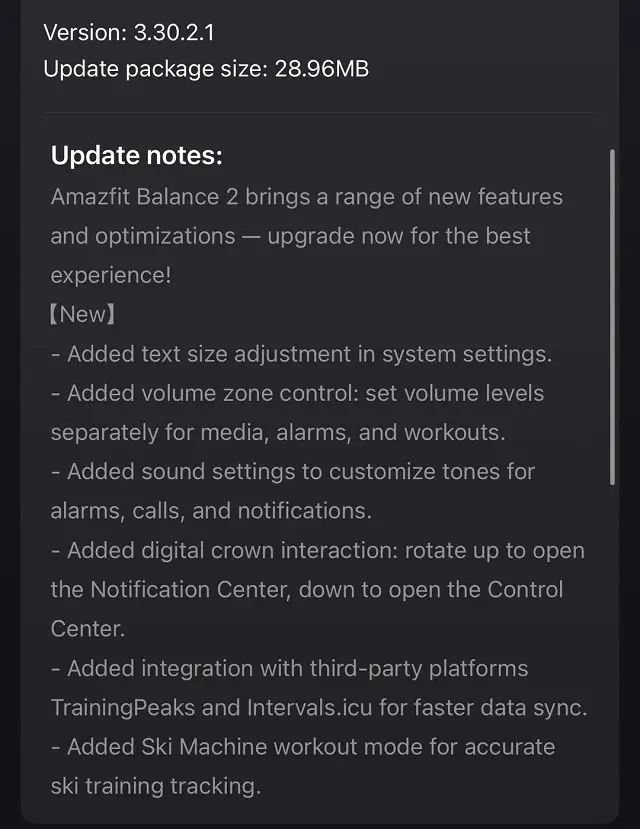
Firmware 3.30.2.1 focuses heavily on making the watch more straightforward to use, more customizable, and more potent for fitness-focused users.
1. Improved Smartwatch Experience and Smoother Daily Use
Adjustable Text Size
You can now adjust the system text size directly from the watch settings.
This is especially helpful if you want:
- Larger text for better readability
- Smaller text to fit more content on the screen
This small change has a significant impact on navigation, notifications, and workout stats.
Smartwatch Volume Zone Control
The update introduces volume zone control, allowing you to set different sound levels for:
- Media playback
- Alarms
- Workout prompts
Example: Keep alarms loud, set notifications medium, and keep workout prompts quieter during gym sessions.
This gives you more flexible and personalized sound management.
More Sound Customization
Amazfit has added new audio personalization options, letting you change:
- Alarm tones
- Incoming call sounds
- Notification alerts
This gives users better control over how the watch communicates throughout the day.
Improved Digital Crown Interaction
The digital crown now has quicker, more intuitive shortcuts:
- Rotate up → Opens the Notification Center
- Rotate down → Opens the Control Center
This makes navigation smoother — especially when your hands are sweaty or while running.
2. New Fitness Tools and Training Integrations
The Amazfit Balance 2 has always been a fitness-heavy smartwatch, and firmware 3.30.2.1 strengthens that even further.
Faster TrainingPeaks & Intervals.icu Integration
Two major performance-tracking platforms now sync better than before:
- TrainingPeaks
- Intervals.icu
Benefits include:
- Faster workout sync
- More accurate training history
- Better analysis for runners, cyclists, and endurance athletes
- Less need for manual data correction
This is a massive upgrade for athletes who depend on structured training programs.
New Ski Machine Workout Mode
This firmware adds a dedicated Ski Machine mode, designed specifically for indoor ski machines.
It tracks metrics like:
- Stroke rate
- Power output
- Heart rate patterns
- Estimated distance
- Calories burned
Instead of using a basic cardio mode, you now get more accurate ski-specific training data.
Comparing other models? Check out our detailed Amazfit Active 2 vs Balance 2 Comparison.
3. Firmware Rollout: How to Update Your Amazfit Balance 2
The Amazfit Balance 2 firmware version 3.30.2.1 is rolling out gradually.
How to check the update:
- Open the Zepp App
- Connect your Amazfit Balance 2
- Go to Watch Settings
- Tap Check for Update
If you don’t see it yet, check again after 24–48 hours as the rollout continues across regions.
For rugged watch shoppers evaluating alternatives, also see our Amazfit T-Rex 3 Pro vs Balance 2 comparison.
Final Verdict – New features in Firmware 3.30.2.1
Firmware 3.30.2.1 is one of the most practical updates for the Amazfit Balance 2 so far.
With better customization, smoother navigation via the digital crown, improved volume controls, deeper TrainingPeaks/Intervals.icu integration, and a new Ski Machine mode, the update makes the watch more powerful for both everyday users and serious athletes.
Suppose you rely on your Balance 2 for fitness tracking or training platforms. In that case, this update is absolutely worth installing as soon as it appears in the Zepp app.
FAQs (SEO Boost)
1. What is the Amazfit Balance 2 Firmware Update 3.30.2.1?
It’s a new OTA release that adds text size control, digital crown shortcuts, better volume options, TrainingPeaks integration, Intervals.icu support, and a Ski Machine workout mode.
2. Why Can’t I See the Update Yet?
Amazfit is rolling it out in phases. You may receive it a few days later, depending on your region
3. How do I Update My Amazfit Smartwatch?
Connect your watch to the Zepp App, go to Watch Settings, and check for updates.
4. Does TrainingPeaks Work Better After This Update?
Yes — data sync is faster, more accurate, and more stable.
