


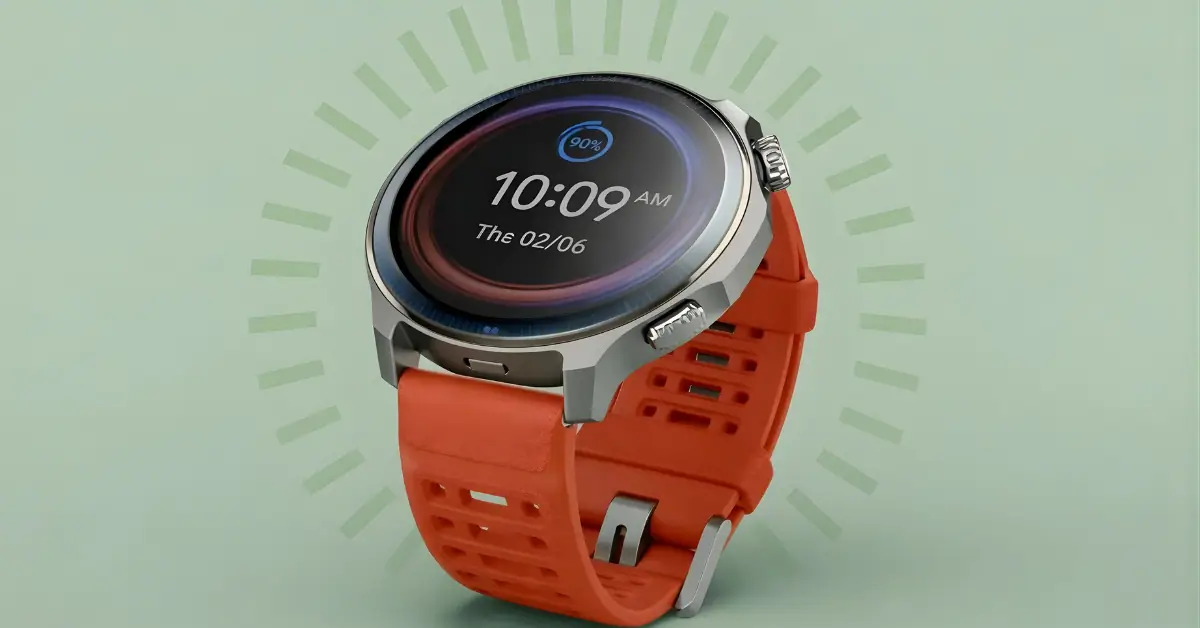
The Zepp Flow 2.2.0 update (Firmware v3.35.0.5) for the Amazfit Balance 2 introduces multi-intent voice commands, BioCharge history tracking, and native Polish support.
To update, open the Zepp App, navigate to Profile > Amazfit Balance 2 > System Update, and ensure your device is running the latest firmware.
What is New in Zepp Flow Version 2.2.0?
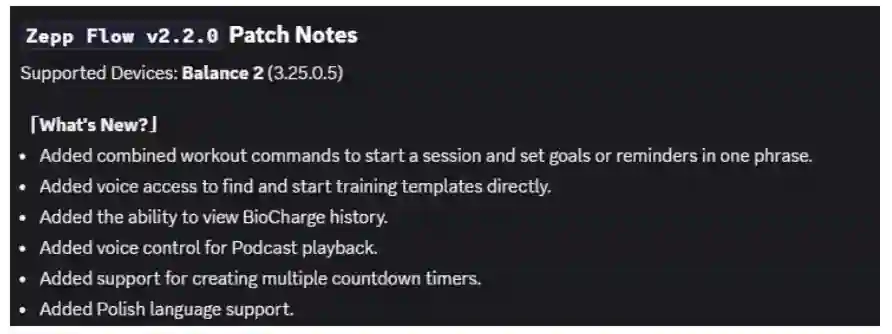
The latest Zepp Flow update focuses on making the AI assistant more capable of handling complex, real-world requests. Based on our hands-on testing, the three major upgrades include:
1. Multi-Intent Voice Commands
Unlike previous versions that required one command at a time, Zepp Flow 2.2.0 can process multiple requests in a single sentence.
- Example: “Start a treadmill workout and set a timer for 30 minutes.”
- Benefit: This reduces the time spent interacting with the screen during high-intensity exercise.
2. BioCharge History Access
You can now use voice commands to retrieve your BioCharge (formerly Readiness) data. By asking, “Show my BioCharge history,” the watch displays recovery trends on the screen, helping you decide whether to train or rest.
3. Expanded Utility & Language
- Simultaneous Timers: The watch now supports running multiple countdown timers at once.
- Polish Language Support: Native Polish speakers can now use the full suite of Zepp Flow AI features in their local language.
Technical Requirements for the Update
To access these AI features, your Amazfit Balance 2 must meet the following software requirements:
Requirement Necessary Version
- System Firmware v3.35.0.5
- Zepp Flow Version v2.2.0
- Compatible Device Amazfit Balance 2
Step-by-Step: How to Update Your Amazfit Watch
Follow these steps to ensure you are running the latest version of Zepp Flow:
- Sync your device: Open the Zepp App on your smartphone and ensure your watch is connected via Bluetooth.
- Navigate to Settings: Go to the Profile tab, select Amazfit Balance 2, and tap System Update.
- Install Firmware 3.35.0.5: You must install the system firmware first. Zepp Flow 2.2.0 is bundled with this update or will appear in the App Store section immediately after.
- Verify: Once the watch restarts, long-press the crown to activate Zepp Flow, then confirm that the new multi-intent features are active.
What’s Next for Other Amazfit Models?
Currently, the Amazfit Balance 2 is the exclusive recipient of the 2.2.0 update. While models like the T-Rex 3 and Active 2 frequently receive Zepp Flow updates, Amazfit has not yet confirmed a timeline for these specific AI enhancements on older or alternative hardware.
Frequently Asked Questions (FAQ)
Will Zepp Flow 2.2.0 come to the Amazfit T-Rex 3?
Amazfit has only confirmed the rollout for the Balance 2. However, similar AI updates typically reach the T-Rex and Cheetah series within 4–8 weeks.
Why can’t I see the update in the Zepp App?
Updates are released in staged rollouts. If you do not see version 3.35.0.5, wait 24–48 hours and check again, as Google and Amazfit often release updates by region to manage server load.
Does Zepp Flow 2.2.0 Work Offline?
No, Zepp Flow requires a Bluetooth connection to your smartphone with active data to process natural language commands.
